If we work in marketing in 2026, odds are we’ve touched Zapier at some point. It’s the duct tape behind half the “magic” in our stack, routing leads, updating CRM fields, pinging Slack, posting content, even triggering AI workflows.
But with task-based pricing creeping up, smarter AI-native tools, and serious competitors like Make and n8n, a lot of us are asking the same thing:
Is Zapier still worth it in 2026, or are we just paying the convenience tax?
In this guide, we’ll look at where Zapier actually shines in a modern, AI-powered marketing stack, where it falls down (especially at scale). Also which alternatives make sense, and a simple framework to decide what’s right for our team, without getting lost in feature charts or hype.
Where Zapier Fits In A 2026 Marketing Stack

Zapier’s role in 2026 is less “do everything” and more “glue everything.“ It’s the connective tissue between our SaaS tools, AI engines, and internal workflows.
Think about a typical growth stack:
- CRM (HubSpot, Salesforce, Pipedrive)
- Email platform (Klaviyo, Mailchimp, Customer.io)
- Ads (Meta, Google, LinkedIn)
- Collaboration (Slack, Teams, Notion)
- Data (Sheets, Airtable, a warehouse like BigQuery or Snowflake)
- AI tools (OpenAI, Anthropic, custom LLM endpoints)
Zapier still excels at stitching these together quickly without needing engineering. A few real-world examples:
- Lead routing: New Typeform or Webflow form → enrich with Clearbit → send to HubSpot → notify sales in Slack.
- Content workflow: New blog draft in Notion → send to an AI model for meta descriptions → push to WordPress as a scheduled post.
- Ops alerts: Stripe payment failure → log to Sheets → alert CS channel in Slack → trigger a follow-up email sequence.
Where it especially fits in 2026:
- Low-to-medium volume automations
If we’re running under a few thousand tasks a month, the convenience of Zapier’s interface, templates, and support usually outweighs the cost.
- AI-augmented workflows
Zapier’s AI Copilot and AI Actions mean we can drop LLM steps directly into flows, summarizing submissions, drafting emails, classifying leads, without custom integrations.
- Prototyping and experimentation
We’re testing a new lead source, content channel, or ad tactic? Zapier is still one of the fastest ways to get from idea → working automation in an afternoon.
Where it doesn’t fit as well anymore is as a data backbone. For anything high-volume or analytics-heavy, it’s better as the “edge” layer on top of a proper data warehouse or event pipeline, not the system of record.
The Core Value Prop: What Zapier Still Does Best
Zapier is no longer the only automation game in town, but its core strengths still matter for marketers who want to move fast without writing code.
Here’s what it still does best in 2026:
1. Huge integration ecosystem
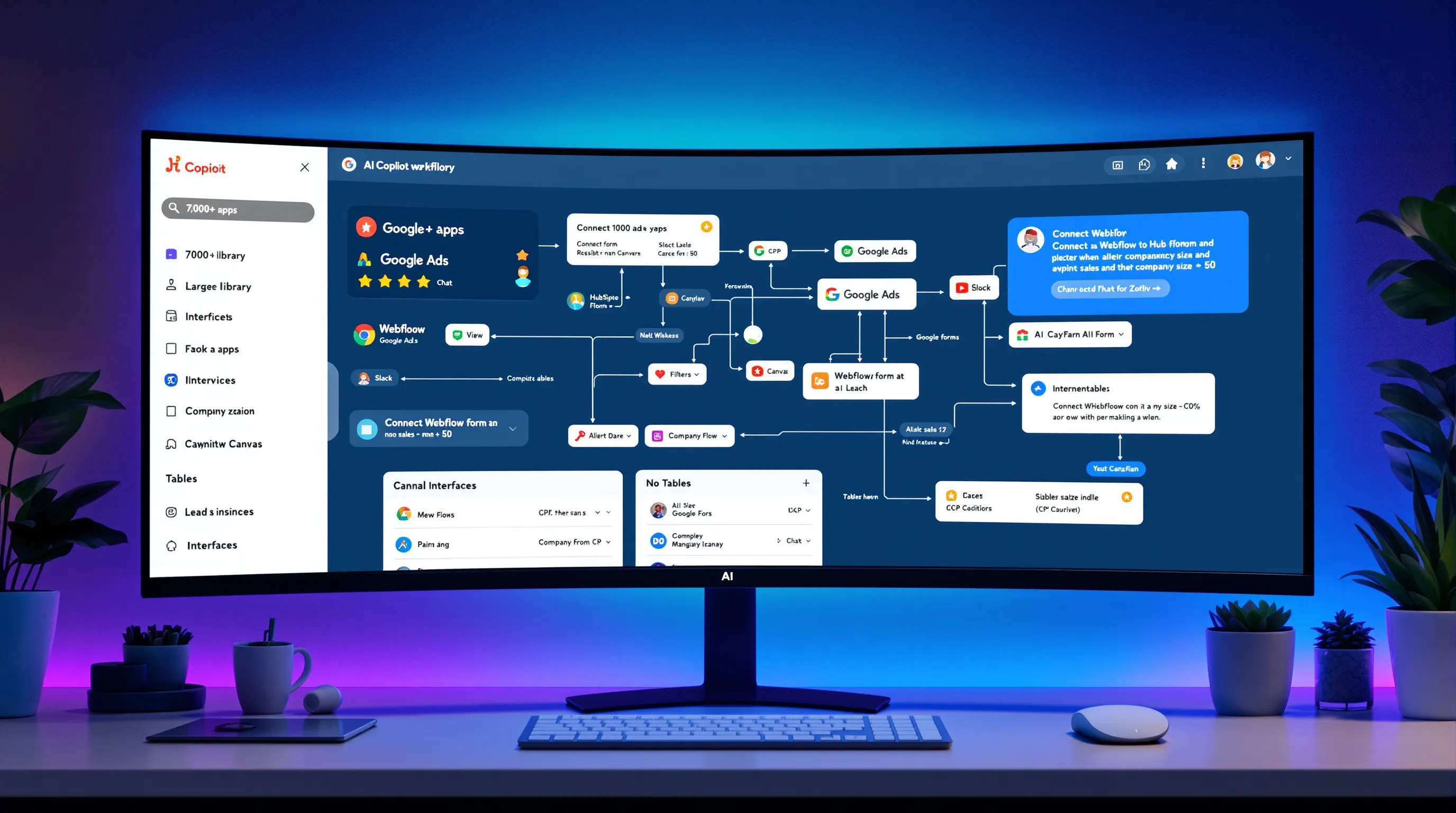
Zapier connects to 7,000+ apps, CRMs, ad platforms, payment tools, AI APIs, and niche SaaS products we’ve never heard of. This matters when:
- We’re working with a client using a weird tool we wouldn’t pick ourselves
- We need something that “just works” with mainstream platforms like HubSpot, Google Ads, or Slack
We don’t have to cross our fingers hoping someone built a connector. Zapier usually has it.
2. Unlimited Zaps and a solid no-code builder
On paid plans, we can create unlimited Zaps (workflows). The visual editor is still one of the most approachable:
- Multi-step branching
- Filters
- Paths
- Re-usable actions
We can hand a Zap to a non-technical teammate and they’ll usually figure out how to tweak it without breaking everything.
3. AI + workflows, not AI instead of workflows
Unlike pure AI tools, Zapier lets us embed AI as one step in broader business logic:
- Use AI to classify leads (ICP vs. non-ICP) before they route to sales
- Summarize support tickets before sending them into Slack
- Generate first-draft social copy from a new blog post, then send it to Buffer
The AI Copilot inside the builder now helps us design Zaps (“connect Webflow form to HubSpot, and alert sales when company size > 50“) instead of starting from a blank canvas.
4. Built-in mini-tools: Tables, Interfaces, Canvas
Over the last few years, Zapier quietly turned into more than a connector. For marketers, these extras are surprisingly handy:
- Tables: Simple database-like tables for storing leads, campaign configs, or content calendars.
- Interfaces: Lightweight forms and internal tools (e.g., a “manual resend welcome email“ button for support).
- Canvas: Visual mapping of workflows and systems, helpful when we’re untangling a messy automation setup.
We’re not replacing a full CRM or BI stack with these, but they’re great for quick internal tools and campaigns that don’t justify a dev ticket.
Pricing In 2026: What You Really Get For What You Pay
The real question most of us care about: when does Zapier pricing stop making sense?
First, a quick recap of how it works in 2026:
Tasks = paid actions.
A 4-step Zap that runs once = 4 tasks.
So if a lead touches Gmail → HubSpot → Sheets → Slack, that’s 4 tasks per lead.
Current core plans (2026)
- Free
- ~100 tasks/month
- 2-step Zaps only
- Good for testing, not for serious marketing.
- Professional – $19.99/mo (billed annually)
- 750 tasks/month
- Multi-step Zaps
- Access to Premium apps
- This is where many solo marketers and small teams start.
- Team – $69/mo
- 2,000 tasks/month
- Up to 25 users
- SSO and shared folders
- Sweet spot for small marketing teams that need collaboration.
- Enterprise – custom pricing
- Unlimited users and (effectively) very high task ceilings
- Advanced security, SSO, SLAs (99.99% uptime)
- Makes sense when legal/IT is in the room.
There’s also pay-as-you-go when we blow past limits, which is where the pain starts if we’re not paying attention.
What this means in practice
Let’s say we have a basic lead flow:
- New lead from Webflow → add to HubSpot → add to Sheet → send Slack alert
- 4 tasks per lead
Now do the math:
- 150 leads/month → 600 tasks (fine on Professional)
- 500 leads/month → 2,000 tasks (we’re already near Team limits)
- 5,000 leads/month → 20,000 tasks (we’re in high-volume territory and should compare alternatives)
Zapier is very cost-effective under ~2,000 tasks/month, reasonable up to ~10,000 if time is more valuable than dollars, and quickly becomes expensive beyond that compared to tools like Make or n8n.
That’s why the right question isn’t “Is Zapier expensive?“ but “Is it expensive relative to our task volume and alternatives?“
Strengths That Still Make Zapier Hard To Replace
Even with cheaper competitors, Zapier keeps its spot in a lot of 2026 marketing stacks because of a few non-obvious strengths.
1. It’s genuinely easy for non-devs
We can hand Zapier to a lifecycle marketer or content lead and they’re productive in a day. No need to learn complex “scenario” metaphors or think in terms of nodes and graphs.
That accessibility is worth real money if our alternative is waiting two weeks for engineering to wire something up.
2. Reliability at the scale most marketers actually use
On Enterprise, Zapier offers a 99.99% uptime SLA, and even on lower tiers it’s been remarkably stable. Triggers fire when they’re supposed to. Errors are surfaced clearly. Retry logic is reasonable.
If a welcome flow silently fails at 2 a.m., we feel it in churn and revenue. Reliability is not a “nice to have“, it’s the whole game.
3. Team collaboration and governance
The Team and Enterprise plans give us:
- Shared folders and ownership
- Role-based access
- SSO / SCIM
In plain English: we can let marketing build things without ending up with a security or compliance mess.
4. Mature ecosystem and support
Because Zapier’s been around for years, we also get:
- Tons of templates to jump-start common flows
- Community examples and YouTube walkthroughs
- Vendor-backed integrations that stay up to date
And when something breaks, support typically understands marketing workflows, it’s not all dev-speak.
5. It’s still more approachable than “enterprise automation”
Could we do some of this with UiPath, Workato, or custom scripts? Sure. But those tools are:
- Overkill for most marketing teams
- More expensive in license and implementation time
Zapier sits in that sweet spot: powerful enough for serious workflows, simple enough that we don’t need a dedicated automation engineer.
Zapier’s Weak Spots And When It Stops Making Sense
For all its strengths, Zapier isn’t a universal answer. There are clear cases in 2026 where it’s not the right tool.
1. It gets expensive at high volume
When we start pushing 10,000+ tasks/month, the math changes fast:
- Zapier Professional: 750 tasks for ~$20
- Zapier Team: 2,000 tasks for ~$69
- Make: around 10,000 operations for ~$9
If we’re running volume-heavy workflows, like syncing ad events, logging every email open, or piping product analytics, Zapier’s task-per-action pricing can balloon costs.
At 100k+ tasks/month, tools like Make or self-hosted n8n are often dramatically cheaper.
2. Not ideal for self-hosted or dev-heavy teams
If our organization is:
- Strict about data residency and self-hosting
- Already deep into Node/Python microservices
- Comfortable running Docker and managing infra
…then Zapier will feel limiting and pricey. Self-hosted n8n or custom event pipelines probably make more sense.
3. Limited for deep, complex RPA
Zapier isn’t a full-blown Robotic Process Automation (RPA) platform. If we’re automating legacy desktop apps, internal ERPs, or need advanced bot-level automation, UiPath and similar tools are better suited (though typically more expensive and IT-driven).
4. When we’re using it as a database
We’ve all done it: use Zapier as a band-aid data layer. Storing too much state in Zaps, relying on Tables as a quasi-CRM, or trying to power BI dashboards via Zap runs.
It works, until it doesn’t. Once we care about analytics, attribution, and long-term data integrity, Zapier should sit at the edges of our system, not the center.
Zapier Alternatives For Different Marketing Use Cases
If Zapier isn’t always the right fit, what should we reach for instead? Here’s a straightforward view through a marketer’s lens:
| Use Case | Alternative | Why It May Be Better |
|---|---|---|
| High-volume event syncing, 10k+ ops | Make | Much cheaper operations model (e.g., ~10k ops for $9), flexible scenarios for complex workflows |
| Self-hosted or dev-centric teams | n8n | Can be self-hosted, per-execution pricing, solid for 100k+ operations without insane bills |
| Simple personal or lightweight automations | IFTTT | Very low cost, simple recipes, great for “if this then that“ style flows, though less powerful than Zapier |
| Enterprise RPA and desktop automation | UiPath | Built for complex enterprise workflows and robots, but pricier and more IT-heavy |
How we might mix these in a modern stack:
- Use Zapier for cross-tool marketing workflows, AI-powered routing, and quick experiments.
- Use Make for heavy data syncs (e.g., product events → warehouse, ad platform logs).
- Use n8n when our eng team wants full control and self-hosting.
- Use UiPath for back-office enterprise automation far beyond marketing.
We don’t have to marry one tool. In 2026, it’s normal for teams to run Zapier for convenience plus a cheaper, more technical tool for bulk operations.
How To Decide: A Simple Framework For Your Team
We can cut through the noise with a simple decision framework tailored to marketing teams.
Step 1: Look at your monthly task volume
Rough rules of thumb:
- < 2,000 tasks/month
Zapier is usually worth it. Ease of use and speed to launch outweigh small cost differences.
- 2,000–10,000 tasks/month
Zapier is still viable, but we should run a comparison against Make or n8n. Time saved vs. dollars spent becomes a real discussion.
- > 10,000 tasks/month
We should seriously evaluate alternatives for bulk operations, especially if costs are creeping over $100/month.
Step 2: Factor in team skills and constraints
Ask ourselves:
- Do we have devs who enjoy building automation?
- Are we allowed to self-host tools?
- Does security/legal require SOC2, SSO, etc.?
If we’re a mostly no-code marketing team with light IT involvement, Zapier’s strengths matter more. If we have an engaged dev team, cheaper or more customizable tools become attractive.
Step 3: Consider collaboration and ownership
If multiple marketers need to:
- Edit and monitor workflows
- Share access without sharing logins
- Have clear ownership and audit trails
…then Zapier’s Team plan (with shared folders and SSO) is often worth the premium versus piecing together several point tools.
Step 4: Do the simple math
Take our top workflows and estimate:
- Tasks per run × runs per month = tasks/month
- Multiply by Zapier’s cost/task vs. Make/n8n’s operations cost
If Zapier is within 20–30% of an alternative and saves us hours of onboarding or dev time, we’d argue it’s still worth it. If it’s 3–5x more, that’s a signal to rethink our stack.
Conclusion
If we strip away the hype, Zapier is still absolutely worth it in 2026, for the right workloads.
It’s a fantastic fit for:
- Low-to-medium volume marketing automations
- Cross-tool workflows that touch CRM, email, ads, and Slack
- AI-augmented flows where we want LLMs inside business logic
- Teams that value speed and accessibility over squeezing every cent out of infra costs
It’s not ideal when we’re pumping millions of events, need full self-hosting, or want to use automation as the core of a data platform.
The good news: we don’t have to guess. We can audit what we’ve got, run a focused experiment, and make a decision based on real numbers, not vibes.
How To Audit Your Current Automations
Let’s give ourselves a clear picture in an hour or two:
- Export a list of all Zaps
Head into the Zapier dashboard and list every active Zap. Group them by function: leads, reporting, content, internal ops.
- Check usage and task counts
For each Zap, note: runs/month × steps = tasks/month. Zapier’s usage dashboard makes this easier than it sounds.
- Flag the heavy hitters
Identify the top 5–10 Zaps driving most of our tasks. These are the ones that matter for cost.
- Spot quick wins
- Combine redundant Zaps
- Remove unnecessary steps
- Switch “every event” triggers to batches where possible (e.g., daily digest instead of per-event notifications)
This audit alone can shave a big chunk off our task count, without changing tools.
Signals It’s Time To Graduate Beyond Zapier
We should seriously explore alternatives if:
- We’re regularly hitting or exceeding our task limits
- Our Zapier bill is creeping above $100/month mostly due to raw volume
- We find ourselves wanting custom code, self-hosting, or deeper control over infrastructure
- Legal/security is uncomfortable with data flowing through a third-party SaaS for critical workflows
In those cases, keeping Zapier only for edge workflows and moving bulk operations to Make or n8n is often the best of both worlds.
Run A 30‑Day Experiment Before You Commit
Instead of debate-by-opinion, we can run a simple test:
- Pick the top 3 high-volume Zaps
Choose ones that drive a lot of tasks but are structurally simple (like logging events or syncing contacts).
- Rebuild them in Make or n8n
Use free or low-cost tiers. Keep the logic as close as possible to the Zapier version.
- Track three things for 30 days
- Total operations/tasks
- Failure rate / reliability
- Engineering or setup time
- Compare costs and effort
If the alternative is dramatically cheaper and doesn’t create a huge maintenance burden, we’ve got strong evidence to shift our heavy workflows.
- Decide the new split
Maybe we keep Zapier for experimentation and no-code flows, and move bulk data operations elsewhere. Or maybe Zapier stays our primary tool because the time savings are worth the premium.
In 2026, the smartest marketing teams aren’t religious about tools. We treat Zapier, Make, n8n, and others as parts in a toolkit.
If we stay honest about our volume, our team’s skills, and our tolerance for complexity, we’ll know exactly when Zapier is still worth it, and when it’s time to level up our automation stack.