
If YouTube is part of your growth strategy, you can’t afford to guess where your videos actually stand in search.
A YouTube SEO ranking checker gives you that missing visibility. It shows you how your videos rank for target keywords, how positions change over time, and how you stack up against competitors.
But rankings are just one piece of the puzzle. To turn views into pipeline, you need to connect ranking data with click-through rate, watch time, and audience retention, and increasingly, with AI-driven workflows.
In this guide, you’ll learn what a YouTube SEO ranking checker can and can’t do, which tools are worth your attention, and how to build a practical workflow around them so you’re not just tracking rankings, you’re driving revenue-relevant results.
Why YouTube Rankings Still Matter in 2026
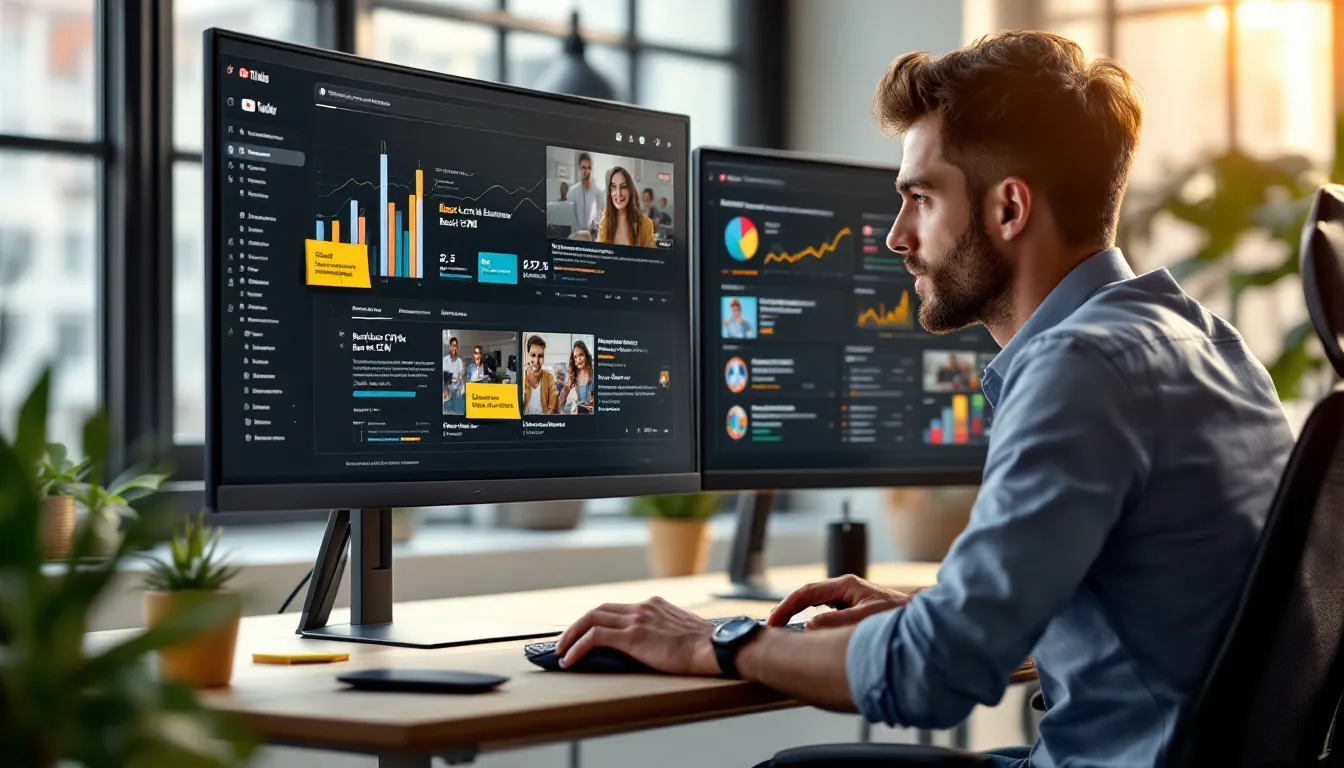
YouTube has evolved from a simple video platform into a hybrid of search engine, social network, and streaming service.
The recommendation system dominates total views, but rankings in YouTube search still matter a lot, especially if you care about intent.
Search Rankings Versus Recommendations: Where Ranking Checkers Fit
YouTube’s homepage and “Up Next” recommendations are where binge viewing happens, but search is where users tell you exactly what they want:
- “how to build a b2b content strategy”
- “best crm for small business”
- “facebook ads tutorial for beginners”
A YouTube SEO ranking checker focuses on that search layer. It tracks where your videos show up for specific queries over time. That matters for:
- Capturing high-intent demand (people actively researching a solution)
- Owning your category and branded terms
- Measuring the impact of SEO-focused optimizations (titles, thumbnails, descriptions)
You won’t see every recommendation effect in a ranking report, but you will see how well you’re capturing intent-driven discovery.
The Difference Between Keyword Position And Video Performance
It’s tempting to chase “#1 for [keyword]“ as the goal. But position is a leading indicator, not the outcome you’re actually paid for.
You can rank in the top three for a keyword and still:
- Get low click-through rate (CTR) because the thumbnail doesn’t sell the click
- Drive low watch time because the hook is weak
- Attract the wrong audience because the query intent doesn’t match your offer
This is where the best YouTube SEO ranking checkers stand out: they don’t just show you position, they help you correlate ranking with behavior, CTR, watch time, retention, and eventually conversions. Your job isn’t just to rank: it’s to rank for the right terms with videos that actually move the business forward.
How YouTube’s Recommendation And Search Algorithms Actually Work
You don’t need to reverse engineer every line of YouTube’s algorithm. You do need a working mental model.
At a high level, YouTube optimizes for viewer satisfaction and session time. The platform tracks how people behave after seeing or clicking your video:
- Do they click when your thumbnail appears in search or suggested? (CTR)
- How long do they watch before dropping off? (audience retention)
- Do they watch more videos after yours, or leave YouTube entirely? (session watch time)
Search rankings are influenced by relevance (your metadata and content) plus these engagement signals. So when you use a YouTube SEO ranking checker and see position changes, that movement often reflects a deeper story about how viewers are responding.
In practice, that means you should:
- Treat keyword optimization as your entry ticket into search results
- Treat click-worthiness and binge-worthiness as the real growth engine
Ranking tools surface the where. Your analytics and content strategy explain the why, and give you levers to pull next.
What A YouTube SEO Ranking Checker Really Does (And Doesn’t) Do
A good YouTube SEO ranking checker does more than show “you’re #7 now.“ Used properly, it becomes your early-warning system and optimization radar.
Keyword Rankings And SERP Positioning For YouTube Search
At its core, a ranking checker:
- Monitors your video positions for specific keywords over time
- Shows where you appear in YouTube search results (and often Google’s video carousel)
- Highlights gains, drops, and volatility so you can dig deeper
Tools like TubeBuddy, VidIQ, AccuRanker, and SEMrush can all track YouTube rankings, with different levels of depth and automation.
Visibility Across Devices, Regions, And Signed-In States
Ranking can vary by:
- Device (desktop vs. mobile)
- Region or country
- Whether the viewer is signed in and personalized
Better tools let you track at least device and region, so you’re not misled by a single, US-desktop-only view of reality.
What ranking checkers don’t do:
- They don’t guarantee rankings or “unlock” the algorithm
- They don’t replace creative strategy or audience research
- They don’t tell you why engagement is low, only that position has shifted
Think of them as instrumentation, not autopilot.
Key Metrics To Track With A YouTube SEO Ranking Checker
Ranking tools are most powerful when you care about which numbers actually predict growth.
Click-Through Rate, Watch Time, And Engagement Signals
Alongside keyword position, you should monitor:
- CTR – Are people choosing your video when they see it in search?
Low CTR with good rankings = metadata and thumbnails need work.
- Watch time – Total minutes watched. YouTube loves watch time because it reflects real attention.
- Engagement – Likes, comments, shares, and saves are quality signals, especially on educational or opinion content.
Your YouTube SEO ranking checker won’t always show these natively, but the best workflows pair ranking data with YouTube Studio analytics in one view or report.
Audience Retention, Session Watch Time, And Bingeability
Beyond raw watch time, dig into:
- Audience retention curves – Where are viewers dropping off? Do they bail in the first 15 seconds?
- Session watch time – After your video, do viewers watch more of your content or leave the platform?
- Bingeability – Do you have playlists and sequenced content so one view naturally leads to the next?
Ranking data shows discovery. These deeper metrics show satisfaction.
Branded Versus Non-Branded Keyword Coverage
You should also segment:
- Branded queries – “your brand + review“, “your tool tutorial”
- Non-branded queries – Category and problem-based terms
A YouTube SEO ranking checker helps you see if you:
- Own your brand narrative on YouTube
- Are actually competing in broader, non-branded spaces where new audiences live
That mix matters for both demand capture (branded) and demand creation (non-branded).
Choosing The Right YouTube Ranking Checker For Your Workflow
Not every team needs an enterprise-grade rank tracker. You want a tool that fits your channel size, goals, and existing stack.
Manual Checks Versus Dedicated Ranking Tools
You can open an incognito window, search a keyword, and scroll. That’s useful for spot checks, but it breaks quickly when you:
- Track dozens or hundreds of keywords
- Need historical trends
- Report to stakeholders regularly
Dedicated YouTube SEO ranking checkers automate this, track changes over time, and reduce “one-person’s-browser“ bias.
Standalone YouTube SEO Tools Versus All-In-One Suites
You’ve got two main categories:
- YouTube-first tools: TubeBuddy, VidIQ
- Strong for in-platform optimization, keyword research, and basic rank tracking
- Excellent browser extensions for creators and small teams
- SEO + marketing suites: AccuRanker, SEMrush, Ahrefs
- Deeper tracking across YouTube, Google, and other platforms
- Better for agencies and teams managing multiple channels or clients
Feature Checklist: What Marketers Should Look For
When you evaluate a YouTube SEO ranking checker, look for:
- Keyword tracking across devices/regions
- Competitor rankings and share of voice
- Historical graphs and alerts for big moves
- Integration or easy exports to layer with YouTube Studio data
- A/B testing support (often via TubeBuddy or VidIQ)
Aligning Tool Choice With Team Size And Maturity
A simple rule of thumb:
- Solo creators / small brands – Start with TubeBuddy or VidIQ for affordable, in-context insights
- In-house teams – Layer in SEMrush or Ahrefs if YouTube is part of a larger SEO program
- Agencies / multi-channel teams – Consider AccuRanker for more precise, large-scale rank tracking
Pick the smallest tool that meaningfully improves how you plan, publish, and report. You can always graduate upward.
Step-By-Step: Using A YouTube SEO Ranking Checker To Optimize A Video
Here’s how to turn a YouTube SEO ranking checker into a repeatable optimization workflow, not just another dashboard.
Research: Validate And Prioritize Target Keywords
Start before you ever hit record:
- Use TubeBuddy or VidIQ‘s keyword tools to explore search volume, competition, and related terms.
- Shortlist 5–10 primary and secondary keywords based on intent and difficulty.
- Check who currently ranks, what angles and formats win page one?
Your goal is to find terms where you can realistically compete and that map to your funnel.
Optimize: Titles, Thumbnails, Descriptions, And Tags
Next, ship metadata that deserves to rank:
- Craft a clear, benefit-led title that naturally includes your primary keyword
- Design a thumbnail that creates curiosity and contrast
- Write a description that front-loads key terms and context in the first 2–3 lines
- Add tags that reinforce your main topics and variations (don’t stuff)
Publish: Timing, Playlists, And Early Traction Signals
When you publish:
- Schedule for when your audience is most active (YouTube Studio now suggests this)
- Add the video to relevant playlists to boost session watching
- Push an early burst via email, social, communities, or your site to drive initial engagement signals
Measure: Track Rankings, CTR, And Retention Together
Within a few days to a week:
- Use your YouTube SEO ranking checker to see where the video lands for core keywords
- Cross-check with YouTube Studio for CTR, average view duration, and retention
- Annotate any major changes (edits, new thumbnail) against ranking graphs
Iterate: Run Structured Experiments And A/B Tests
Finally, treat the video as an asset you optimize, not a one-and-done upload:
- A/B test thumbnails and titles with TubeBuddy or VidIQ
- Refresh descriptions and add new internal links/playlists
- Re-promote when rankings improve or you release follow-up content
Your ranking checker tells you whether changes are moving the needle, and which experiments to scale.
Advanced Plays: Layering AI, Automation, And Testing On Top Of Ranking Data
Once you’ve nailed the basics, you can blend AI and automation with your YouTube SEO ranking checker for compounding gains.
Using AI To Generate And Refine SEO-Friendly Metadata
Generative AI is powerful when you give it structure. You can:
- Draft multiple title options around a primary keyword, then refine the best ones manually
- Generate description outlines that include target phrases, timestamps, and CTAs
- Brainstorm related keywords and video angles based on what already ranks
The key: treat AI as a copy partner, not a replacement. You bring strategy, positioning, and constraints: the model accelerates iteration.
Automating Rank Tracking And Reporting For Stakeholders
If you report to leadership or clients, automate the busywork:
- Pull ranking data from your checker on a schedule
- Combine it with YouTube Studio metrics (CTR, watch time, subs gained) in a Looker Studio or similar dashboard
- Add basic annotations for major content launches or optimization sprints
Now your YouTube SEO ranking checker becomes a living timeline of cause-and-effect, not a static report.
Building Always-On Testing Loops For Thumbnails And Titles
The fastest way to move ranking-adjacent metrics is through better hooks:
- Use A/B testing features to continuously test new thumbnails and titles, especially on top 10–20% of videos by traffic or revenue
- Let tests run long enough to get statistically meaningful results
- Feed what works back into new content briefs
Over time, your channel develops a “house style” that reliably earns clicks and watch time, which, in turn, stabilizes and improves your rankings.
Common Mistakes Marketers Make With YouTube SEO Tools
YouTube SEO ranking checkers are easy to misuse. Avoid these traps.
Over-Relying On Rankings And Ignoring Viewer Experience
Being #2 for a keyword feels great, until you realize the video barely holds attention and doesn’t convert.
If you’re spending more time staring at rank charts than at audience retention graphs and comments, you’re optimizing for the wrong stakeholder. Rankings are a proxy: viewer satisfaction is the goal.
Chasing High-Volume Keywords That Don’t Convert
Volume is seductive. But “facebook ads“ might bring views while “facebook ads for local gyms“ brings customers.
Use your YouTube SEO ranking checker to:
- Identify mid- and long-tail terms where your content can be the definitive answer
- Segment keywords by funnel stage and conversion potential, not just traffic
Winning a smaller, higher-intent niche often beats being invisible in a massive one.
Failing To Localize, Segment, And Refresh Older Content
Many channels set-and-forget uploads:
- No localization for key markets
- No updated versions when platforms change
- No periodic metadata refresh based on new keyword data
Your ranking tool will often show older content slipping over time. Use that as a cue to:
- Refresh titles, thumbnails, and descriptions
- Add updated cards/end screens pointing to newer videos
- Consider localized variants if you have meaningful audiences in other regions
YouTube SEO is less about one viral hit, more about continuous maintenance and incremental wins.